Choosing between OPNsense vs pfSense is a common decision for anyone building a custom router or firewall for a home lab, small business, or advanced home network. Both platforms are popular open-source firewall solutions, but they differ in user interface, feature set, hardware support, and overall philosophy. pfSense has increasingly focused on pairing its software with official hardware, while OPNsense continues to appeal to the DIY and open-source community.
Back in early 2023, I set out to build my own dedicated router/firewall to replace my Ubiquiti EdgeRouter ER-X. It was a decent little box, but I wanted something more capable, powerful, and expandable. At that point in time, I did a very initial test of OPNsense vs pfsense and decided to move forward with OPNsense.
After running OPNsense for several years later I did an update review, however I wanted to do a more in-depth test of OPNsense vs pfsense to break down the features, user interface, VPN options, hardware options, and community support to decide what I think is the best router software and share the info to help you decide which firewall platform is the better fit for your network.
Quick Verdict: OPNsense vs pfSense
If you want a modern interface, faster updates, and a more DIY friendly experience, OPNsense is the better choice for most home labs and advanced home networks. pfSense remains a solid option, especially for Netgate hardware users, but its ecosystem has become more closed over time.
| OPNsense | pfsense | |
| User Interface | Clean, modern, intuitive | Functional, older-style |
| System Settings | Comparable | Comparable |
| Interface Settings | Comparable | Comparable |
| Firewall Settings | Comparable | Comparable |
| VPN | IPsec, OpenVPN, and WireGuard | IPsec, Layer 2 Tunneling Protocol (L2TP), and OpenVPN |
| Services | Extensive built-in services | Strong commercial add-on ecosystem |
| Software Philosophy | Open Source, transparent | Partial Open Source, Commercial leaning |
| Hardware | DIY friendly, flexible | Commercial-focused, vendor-supported |
| Documentation | Comparable | Comparable |
| Community Support | Comparable | Comparable |
| Best for? | DIY and Home Labs | Official Hardware Users |
- Software Versions
- Setup of pfSense in Virtual Machine
- User Interface
- System Settings
- Interface Settings
- Firewall Capabilities
- VPN
- Services
- Software Philosophy
- Hardware
- Documentation and Community Support
- Resource Usage
- Summary of Comparison
- Alternatives to OPNsense and pfsense
- Final Thoughts
- Additional OPNsense content
Software Versions
| OPNsense Version | pfSense Version | |
| Tested Version | OPNsense 25.1 | 2.8.0-RELEASE |
| Current Version | OPNsense 26.7 | (CE) 2.9.0-RELEASE |
Setup of pfSense in Virtual Machine
As I mentioned above, I am using OPNsense bare-metal as my current router, for testing, I used a virtual machine for my pfsense testing so I didn’t disrupt my network (I hoped). First time launching pfsense, it booted up with the WAN address the same as my current default gateway, so it took down my network. No worries, just powered of the virtual machine and it was resolved, but now I had to configure it to work on my computer, but still access the webui.
| Virtualbox Network | pfsense adapater | |
| Adapter 1 | Not attached | No Configuration |
| Adapter 2 | Bridged Adapter | IP from your local network |
User Interface
Lets walk through the user interface between OPNsense vs pfSense.
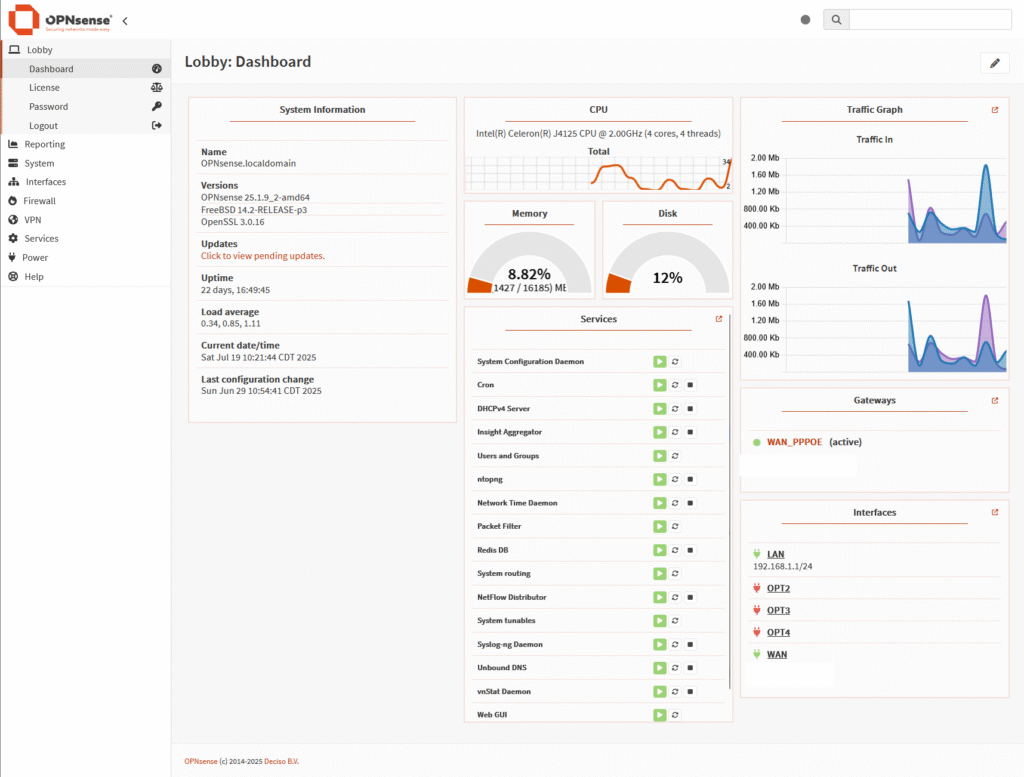
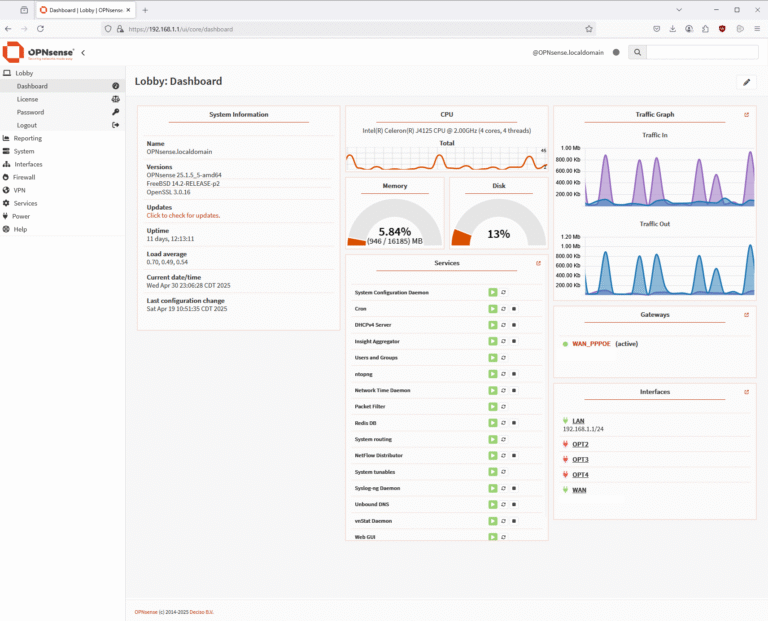
OPNsense Dashboard
Overall, I find the OPNsense user interface to be cleaner and more modern compared to other firewall platforms. It offers a well-organized layout with easy navigation and built-in monitoring tools like CPU and traffic charts right on the dashboard. The menu being on the left and easily to expand and collapse menus or use the search to find what you are looking for.
Initially, I thought it was missing a dark mode, which would have been a nice touch for nighttime use or lower eye strain. After digging into the settings, I was pleasantly surprised to find that dark mode is actually available, although it isn’t immediately obvious at first glance.
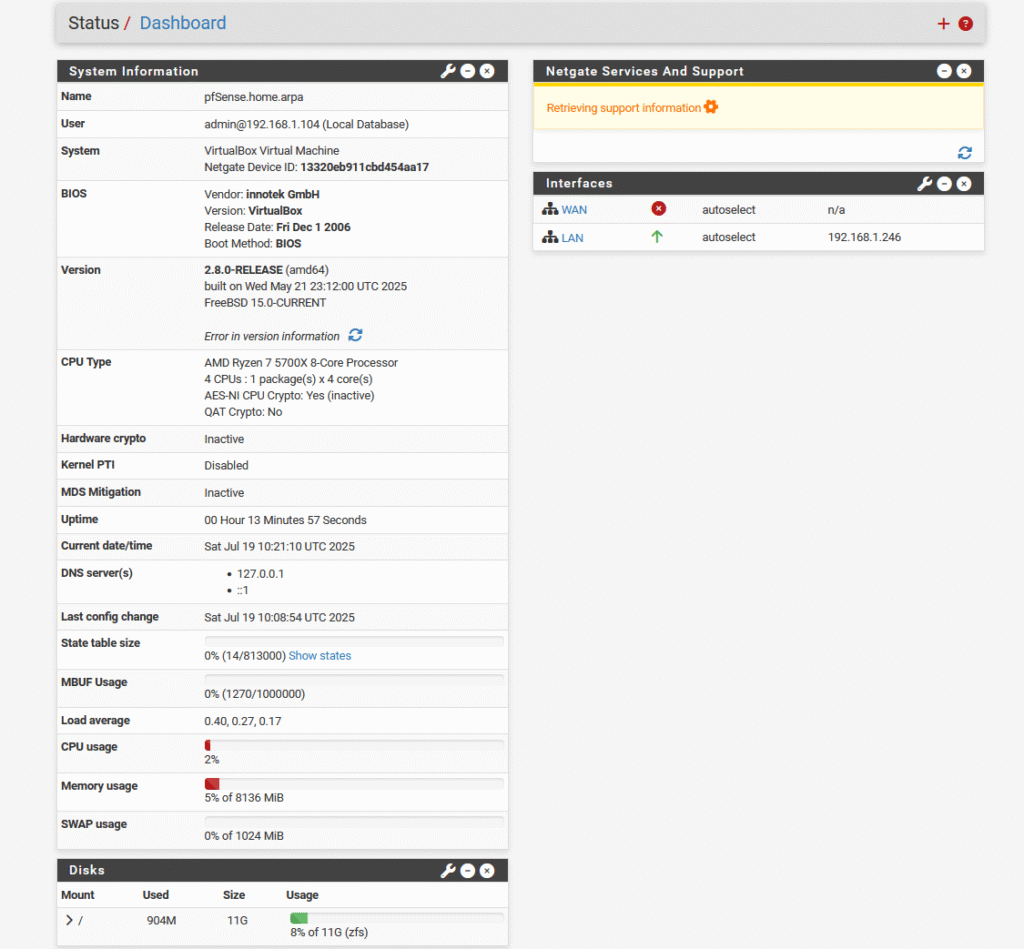
pfSense Dashboard
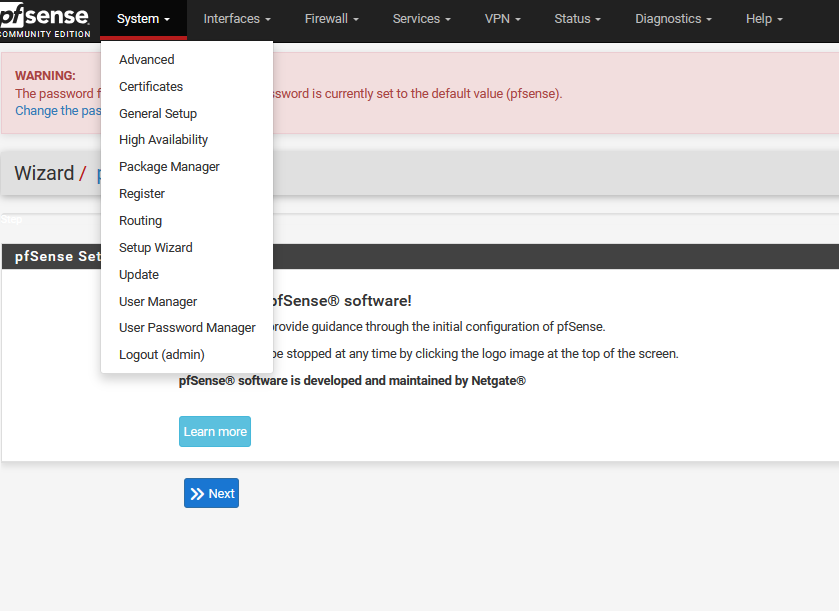
The pfSense dashboard is straightforward and includes the essentials, but it lacks modern or dynamic widgets. The main menu is positioned at the top, making it easy to see the contents of each section. While the breadcrumb navigation helps a bit when drilling down into menus, the overall interface feels a bit old-school and clunky compared to more modern platforms.
System Settings
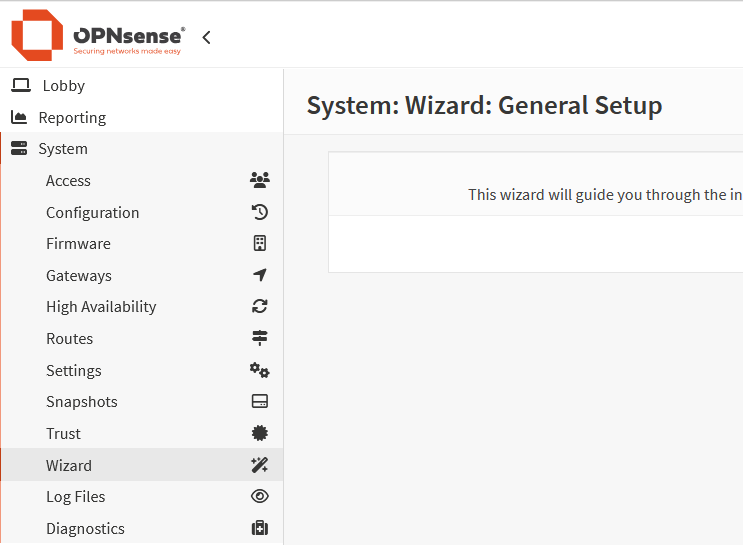
OPNsense System Settings
In OPNsense, this section is where you manage core administrative tasks and system maintenance. You can control user and group access, back up and restore configuration settings, update firmware, create system snapshots, and review log files. It acts as a central location for keeping the system secure, up to date, and easy to recover if something goes wrong.
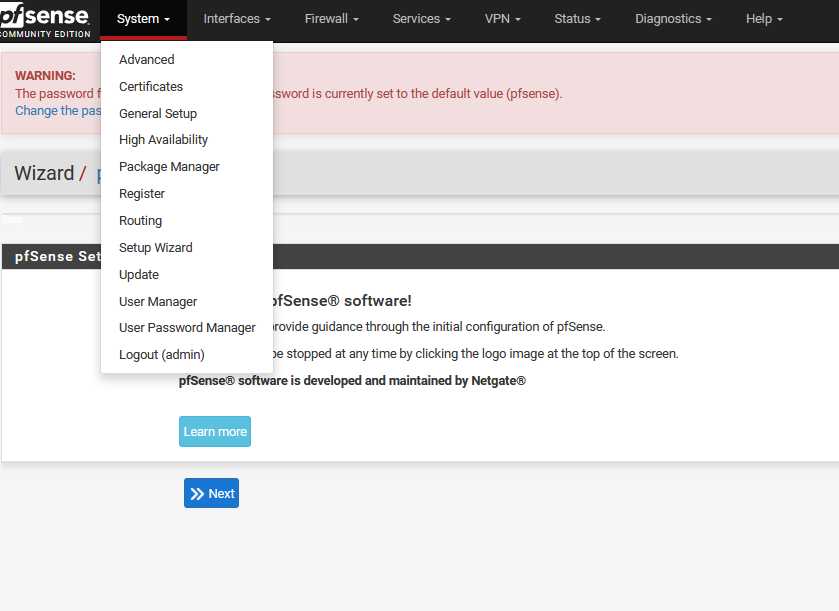
pfsense System Settings
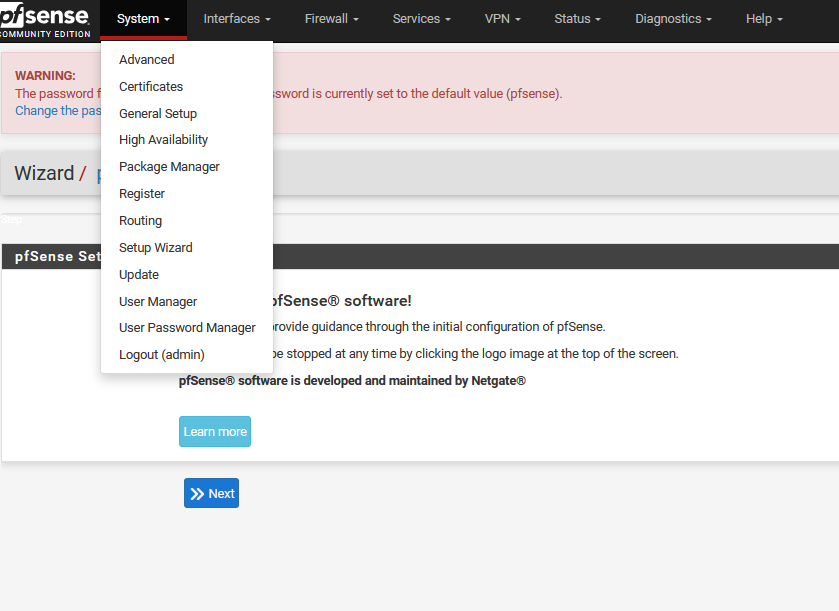
In pfSense, this area is used to manage core system settings and overall platform behavior. From here, you can configure General Setup options, install and manage packages through the Package Manager, handle system updates, and control user accounts and passwords. It serves as the central hub for maintaining and administering the pfSense installation.
Interface Settings
In this section you can configure your physical interfaces that are available to your firewall.
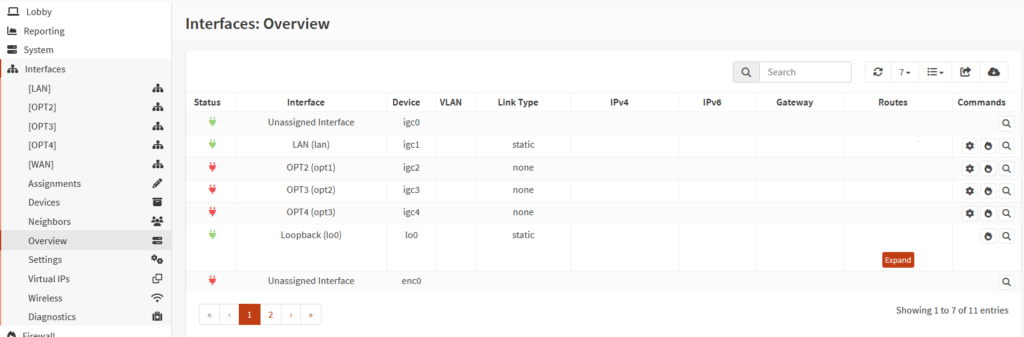
OPNsense Interface Settings
For OPNsense, this section is where you configure and manage the physical network interfaces available to the firewall. You can assign interfaces, set IP addresses, define VLANs, and control how each port is used within your network. It serves as the foundation for separating WAN, LAN, and any additional network segments.
pfsense Interface Settings
Similar to OPNsense, this section in pfSense is where you configure and manage the network interfaces connected to the firewall. From here, you can assign WAN and LAN roles, set IP addresses, configure VLANs, and fine-tune interface-specific settings as your network evolves. Proper configuration in this area is essential for reliable connectivity and effective traffic control across your network.
Firewall Capabilities
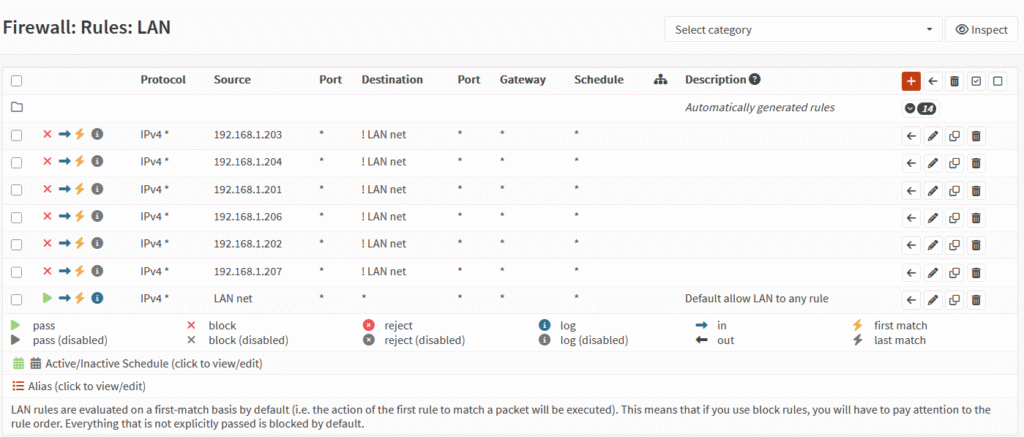
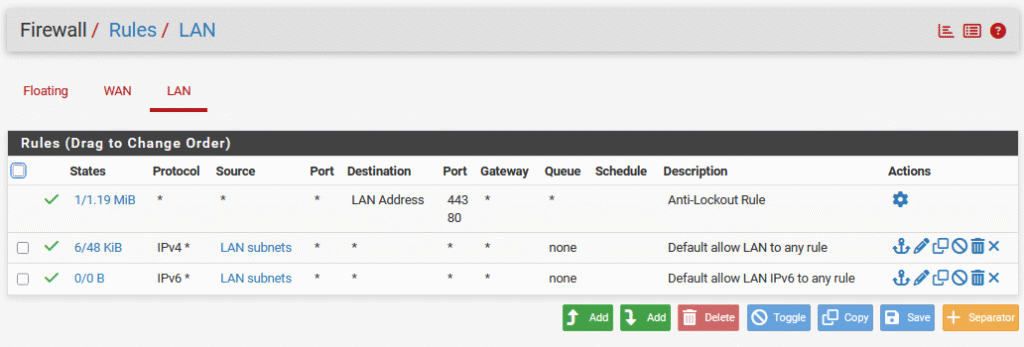
When it comes to creating and managing firewall rules, I think OPNsense and pfSense are pretty similar. Both have a familiar layout with clear rule sets, easy interface selection, and support for aliases to keep things organized. The UI is different between the two, but the overall process of setting up and reviewing rules feels about the same.
OPNsense Firewall
pfSense Firewall
VPN
OPNsense VPN
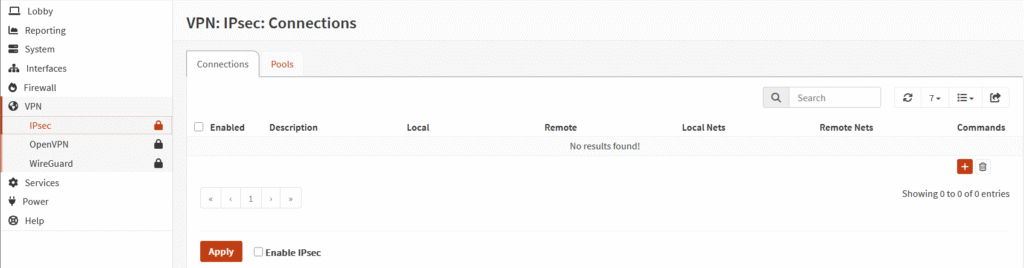
OPNsense includes three built-in VPN options right out of the box: IPsec, OpenVPN, and WireGuard. This gives you plenty of flexibility, whether you’re setting up site-to-site connectivity, remote access, or a lightweight modern VPN. While I haven’t personally configured these VPNs yet, OPNsense does provide built-in tools and documentation to guide the process. If you’re planning to set one up, I’d recommend following a well-written online guide or the official documentation to ensure everything is configured securely and correctly.
pfSense VPN
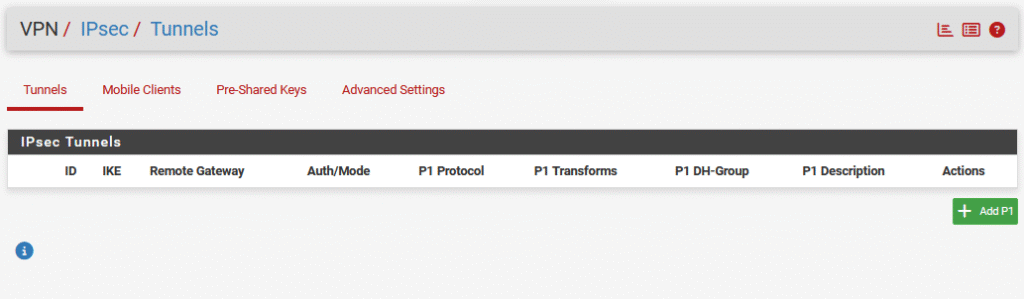
pfSense also includes multiple built-in VPN options out of the box, including IPsec, Layer 2 Tunneling Protocol (L2TP), and OpenVPN. These options cover common use cases such as remote access and site-to-site VPN connections. While I haven’t personally set up any of these VPNs yet, pfSense offers extensive documentation and community resources to help guide the setup process. If you’re planning to configure a VPN, following a reputable online guide or the official pfSense documentation is the best way to ensure a secure and reliable setup.
Services
OPNsense Services
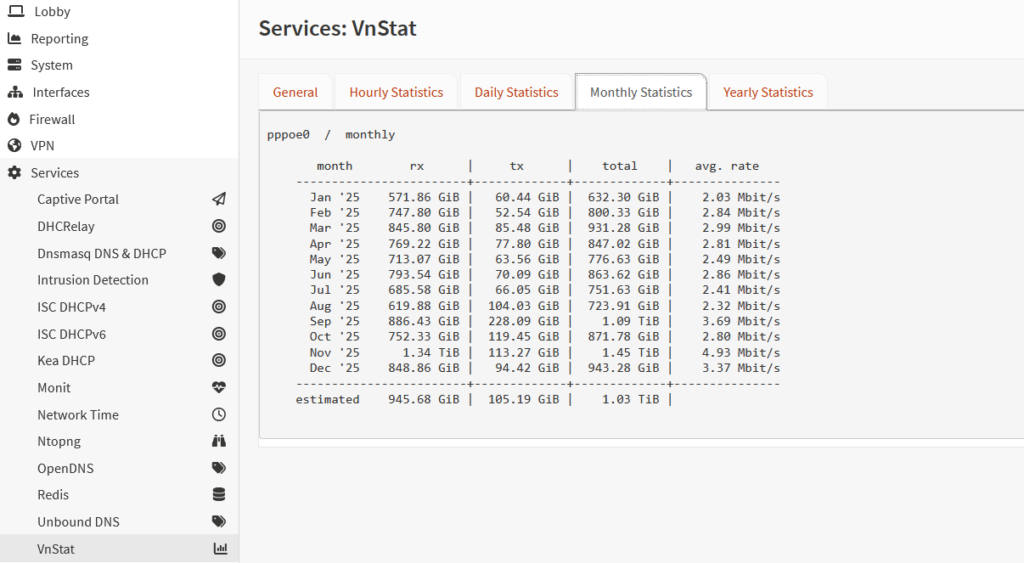
OPNsense includes a wide range of built-in services that can be enabled as needed, including DHCP, NTP, and network traffic monitoring tools. One service I use the most is vnStat, which offers a simple and effective way to track bandwidth usage over time. It makes it easy to review monthly data consumption trends, which is especially helpful for monitoring usage limits and understanding overall network behavior.
OPNsense DHCP
In OPNsense, this section allows you to manage Dynamic Host Configuration Protocol (DHCP) settings for your network, supporting both IPv4 and IPv6. You can configure address pools, reservations, and a variety of advanced DHCP options to better control how devices receive network settings. This makes it easy to tailor IP assignment and network behavior to fit your environment.
OPNsense IDS/IPS
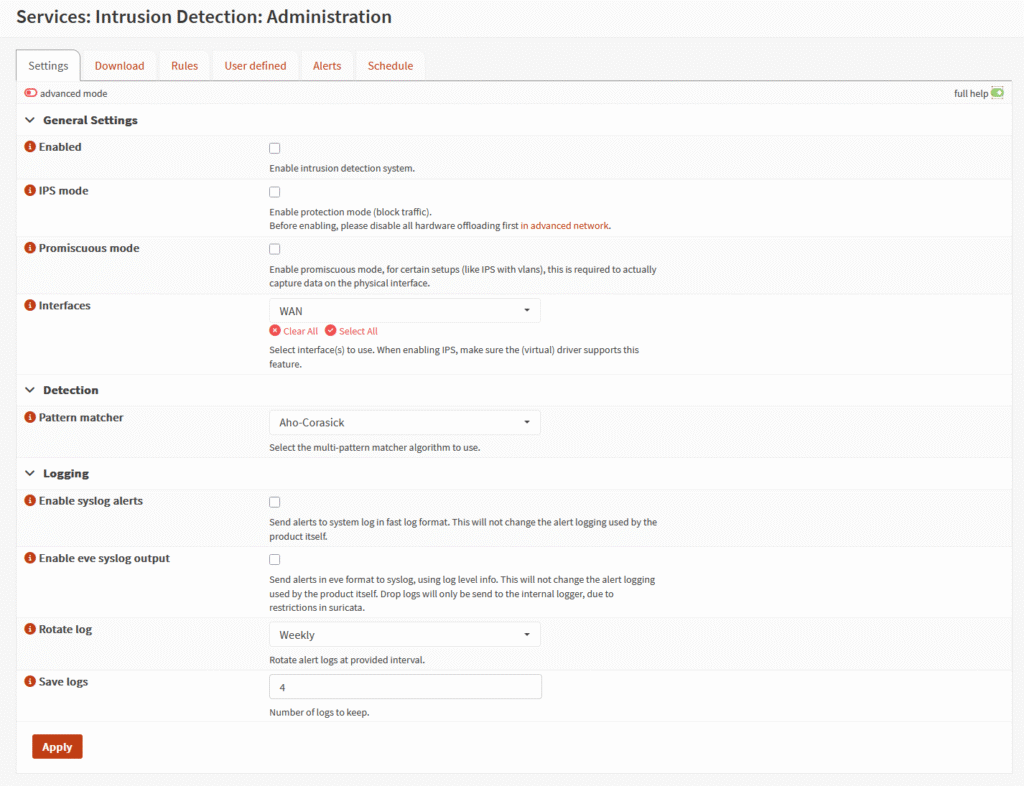
OPNsense includes support for Intrusion Detection System (IDS) / Intrusion Prevention System (IPS), allowing you to monitor and block suspicious network traffic to enhance security.
pfsense Services
pfsense DHCP
In pfSense, this section is used to configure and manage Dynamic Host Configuration Protocol (DHCP) settings for your network, with support for both IPv4 and IPv6. You can define address ranges, create static mappings, and adjust advanced DHCP options to control how clients receive their network configuration.
pfSense IDS/IPS
Out of the box, pfSense doesn’t have anything, but you can easily install add-on packages such as Snort and Suricata that are popular IDS and IPS respectively.
Software Philosophy
OPNsense puts a lot of emphasis on open-source development, frequent updates, and keeping its development roadmap public. pfSense also has an open-source Community Edition, along with pfSense Plus, which offers additional features and support options.
For a home lab, I think it comes down to which platform you prefer, how it handles updates, and whether you want to stick with open-source software. I personally prefer OPNsense, especially its interface and approach to development, but pfSense is still worth considering.
There has also been some history and controversy between the two projects. If you want to learn more about that, this XDA Developers article provides some background.
OPNsense Software
OPNsense and pfSense have an intertwined history. OPNsense was forked from pfSense in 2015, and pfSense was forked from m0n0wall, so you can they both are derived from m0n0wall.
pfSense Software
The pfSense project began in 2004 as a fork of the m0n0wall project. While pfSense is open source, they do some some closed source code for their commercial/enterprise efforts.
Hardware
If you’re interested in running officially supported hardware, both OPNsense and pfSense offer solid options. Either way, going with vendor-supported hardware can offer better stability, updates, and peace of mind for critical setups.
OPNsense Hardware
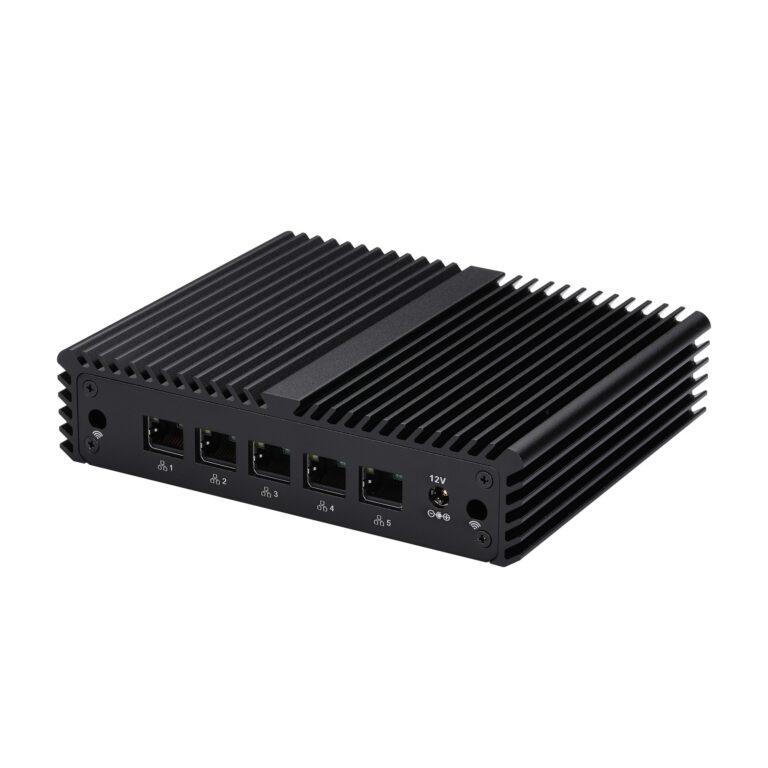
- Mini PCs: A popular choice thanks to low power consumption and multiple Ethernet ports, making them ideal for dedicated firewall and router setups.
- Older Desktops or Servers: A cost-effective option if you already have spare hardware. Adding a dual or quad NIC allows for proper LAN, WAN, and VLAN separation, though power usage is typically higher.
- Official OPNsense Hardware: Turnkey mini computer to rackmount firewalls designed and supported by OPNsense. These offer reliability and support but come at a higher price point.
- Virtualized OPNsense: Running OPNsense on platforms like Proxmox or ESXi is flexible and budget-friendly if you already have capable hardware, with added benefits like snapshots and easy backups.
I have a full post dedicated to hardware recommendations for OPNsense.
pfSense Hardware
The hardware options for pfSense are going to be similar to the OPNsense options above. In general pfSense heavily pushes you toward their Netgate hardware. From a business prospective makes sense, but if you are a DIYer like me, it might not be the best option. If you are looking for a low cost official hardware supported solution, pfsense has cheapest option.
Documentation and Community Support
Both platforms offer detailed documentation and active community support. I’ve included links to the main documentation pages for each below if you want to dive deeper.
OPNsense Documentation
pfSense Documentation
https://docs.netgate.com/pfsense/en/latest/index.html
Resource Usage
I haven’t compared resource usage between OPNsense and pfSense yet. Since I tested pfSense in a virtual machine and run OPNsense on dedicated hardware, I would need to test both on comparable hardware to get meaningful results. I’ll leave performance comparisons for a future update rather than make assumptions based on different setups.
Summary of Comparison
| OPNsense | pfsense | |
| Firewall Capabilities | Tied | Tied |
| VPN Options | IPsec, OpenVPN, WireGuard | IPsec, Layer 2 Tunneling Protocol (L2TP), OpenVPN |
| User Interface | Updated and newer | Functional, but older |
| IDP/IPS | Yes (Suricata-based IDS/IPS built in) | Suricata or Snort available through packages |
| Software Philosophy | Open and straightforward | free community edition and a proprietary Plus |
| Official Hardware available | Yes | Yes |
| Documentation and Community Support available | Yes | Yes |
Alternatives to OPNsense and pfsense
With my research I ran across a few other software solutions that might be good fits as well depending on what your goals are. OpenWrt is a great choice if you want to repurpose your Wi-Fi routers or need a lightweight, highly customizable platform. DynFi, which is based on FreeBSD and shares some similarities with OPNsense, offers another firewall-focused option for users looking for an alternative with commercial support available.
Final Thoughts
After running OPNsense on a bare-metal setup for over two years, I still feel confident in the decision I made. While both OPNsense and pfSense offer strong features, solid community support, and official hardware options, OPNsense has stayed more aligned with the DIY and open-source community. Revisiting both platforms now, it’s clear that their core strategies haven’t changed much. While both offer similar capabilities in terms of firewall rules, VPN support, and documentation, I continue to prefer OPNsense for its cleaner, more modern user-friendly interface and support of the DIY community. At the end of the day, both platforms are capable and for most people, but for a hands-on, more flexible experience, I’m glad I went with OPNsense.
Additional OPNsense content
Best Hardware for OPNsense in 2026: Mini PCs, DIY Builds, and Appliances
DIY OPNSense Router/Firewall build
2 thoughts on “OPNsense vs pfSense : Full Comparison of Features, UI, and Hardware”