When I decided to expand my homelab, I wanted something small, quiet, and inexpensive that I could leave running without adding much to my electricity bill. My existing homelab already includes larger hardware, but I didn’t always need the resources or power consumption of a full-size server for smaller projects and experimentation.
I also wanted a dedicated machine for experimenting with Linux distributions and writing new Linux reviews. Being able to install a distro, test it out, and wipe it when I was finished would let me experiment without taking up space or adding unnecessary wear and tear to the storage drives in my main homelab. This led me to start looking at used micro PCs.
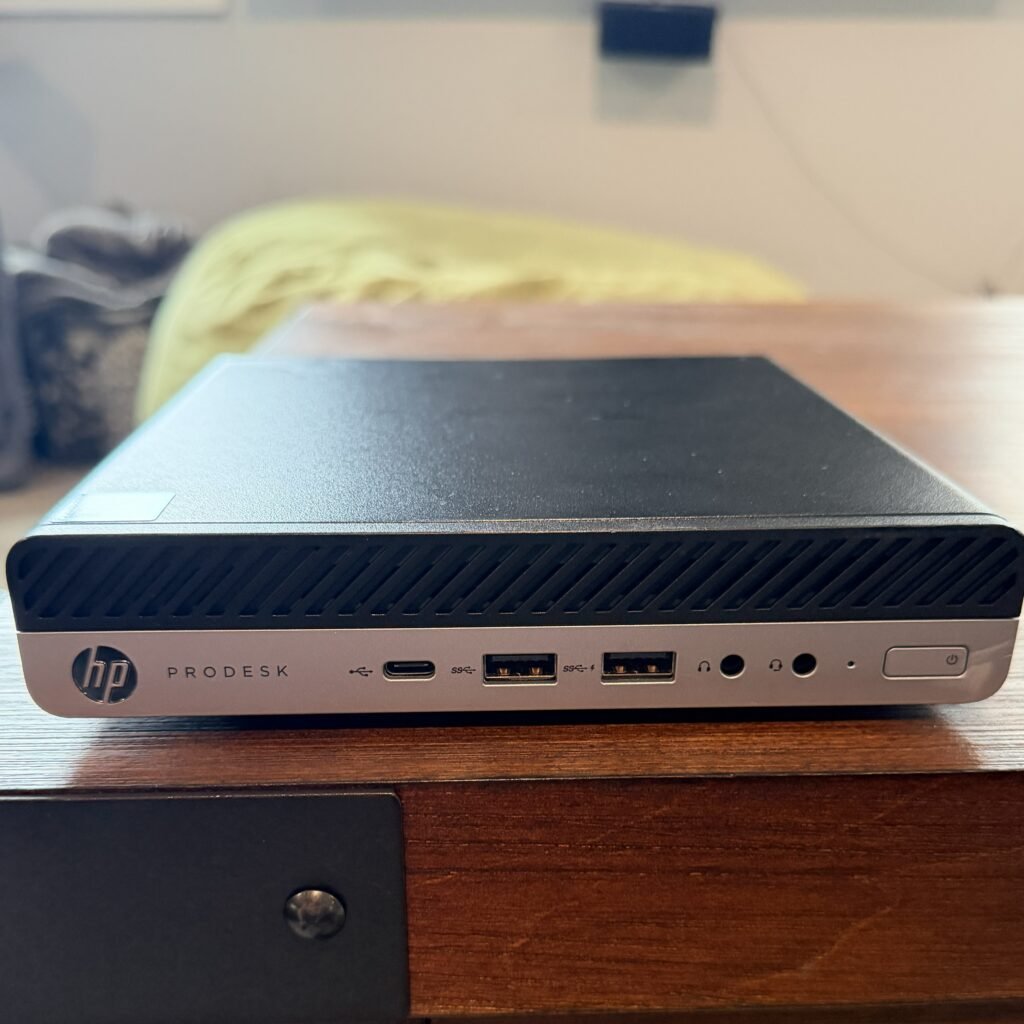
After comparing several options, I ultimately chose an HP ProDesk 600 G5 Mini with an Intel Core i5-9500T, 16GB of RAM, and a 512GB NVMe SSD.
What I Looked for in a Micro PC
There are plenty of used business-class micro PCs available from Dell, HP, and Lenovo, often equipped with surprisingly capable Intel processors, plenty of RAM, and fast NVMe storage. They can be an excellent option for running Proxmox, hosting lightweight services, or experimenting with virtualization without dedicating a large server to the job.
The challenge is figuring out which one is actually worth buying. I started comparing several generations of Dell OptiPlex and HP ProDesk and EliteDesk Mini PCs, looking at everything from processor performance and power consumption to RAM, storage, virtualization support, and features such as Wake-on-LAN.
CPU Performance
- You don’t need a high-end CPU for a small Proxmox server.
- I would look for at least a 6th-generation Intel Core processor, although newer generations offer better performance and efficiency.
- 8th- and 9th-generation Intel processors are a great sweet spot for used micro PCs.
- I ultimately chose an Intel Core i5-9500T, which has 6 cores and a 35W TDP.
- More cores and threads are useful when running multiple virtual machines, as they allow you to dedicate more processing power to VMs while leaving resources available for Proxmox and other services.
- For my use, running one Linux VM at a time, the i5-9500T should provide more than enough CPU performance.
RAM
- 16GB is a good starting point and plenty for Proxmox and one Linux VM.
- 32GB or more is worth considering if you plan to run several VMs simultaneously.
- RAM can become a limitation faster than CPU performance when running multiple VMs.
- Look for a system with upgradeable RAM and available memory slots so you can add more later if needed.
- Watch out for lower-priced models with only 8GB of RAM.
Storage
- NVMe is preferable to an older SATA SSD when available.
- 256GB is usable for Proxmox and a few virtual machines, but 512GB provides considerably more breathing room.
- Additional storage gives you room for VM disks, Linux installation ISOs, snapshots, and testing different distributions.
- You don’t need massive amounts of storage for a testing machine, making 512GB a good balance between capacity and cost.
Power Consumption
One of the biggest reasons I chose a micro PC for this project was its low power consumption. Unlike a traditional desktop or server, a small business-class PC with a low-power T-series processor shouldn’t require much electricity, making it a good fit for a homelab that may run around the clock.
The HP ProDesk 600 G5 Mini I purchased uses an Intel Core i5-9500T, which has a 35W TDP. Keep in mind that the 35W figure refers to the processor itself and not the total power consumption of the computer.
Until I can test the system myself, I’m expecting the entire PC to use approximately:
- Idle: 10–15W
- Light use: 15–25W
- Heavy CPU usage: 30–45W
- Peak: Potentially around 50W
These are estimates rather than measurements from my specific system. Actual power consumption will depend on factors such as RAM, storage, BIOS settings, and workload.
Once I have the system set up with Proxmox, I’ll measure its actual power consumption at idle and under different workloads and update this section with the results.
Virtualization
Since I plan to use this micro PC primarily for testing Linux distributions, virtualization support was important to me. The i5-9500T supports Intel VT-x and VT-d, making it well suited for running Proxmox and virtual machines. Since I only plan to run one Linux VM at a time, the six-core processor and 16GB of RAM should provide more than enough performance for my needs. If I decide to run a VM long term, I can always move it to my larger Dell server, which has more RAM, CPU cores, and storage.
Other Features
Here are some of the features I considered in my decision process.
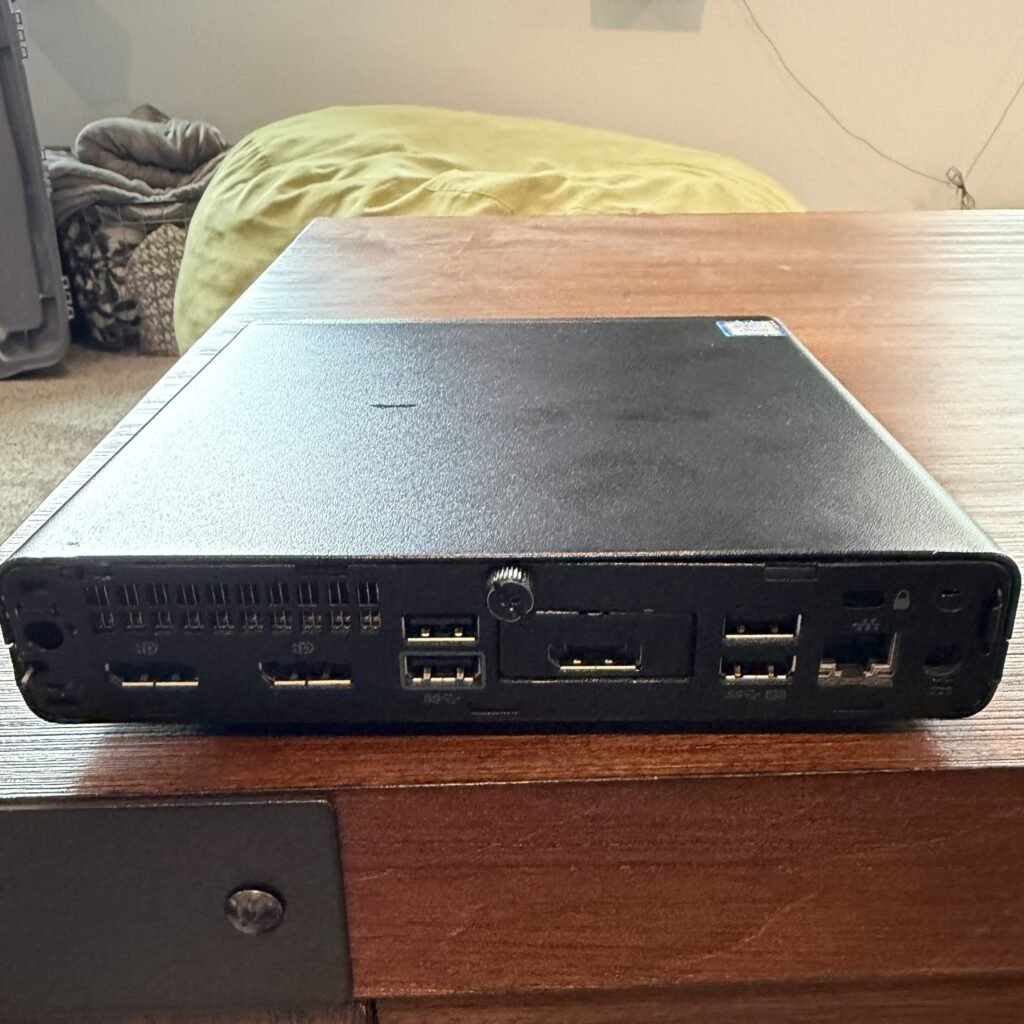
Wake-on-LAN
- Lets you remotely power the machine on.
- Particularly useful if it’s tucked away somewhere.
Ethernet
- Gigabit Ethernet is plenty for my use.
- Wired networking is preferable for a Proxmox host.
Video outputs
- Useful for initial setup/troubleshooting.
- Check whether the particular model has DisplayPort, HDMI, etc.
Upgradeability
- RAM slots
- NVMe
- Potential 2.5-inch drive support
Size
- This is obviously one of the biggest advantages.
- Easy to tuck onto a shelf or behind equipment.
Why I Chose HP
Dell OptiPlex systems seem to be more popular in the homelab community than HP’s, although I’m not sure there’s a particular reason why.I ultimately went with this HP because it was reasonably priced at around $200 and offered everything I was looking for, including 16GB of RAM, 512GB of NVMe storage, and a capable Intel Core i5-9500T processor.
Final Thoughts
For my homelab, a used micro PC offers a great balance of performance, size, and power consumption without spending a lot of money. The HP ProDesk 600 G5 Mini I chose, or a comparable Dell OptiPlex 7070 Micro, should provide plenty of performance for experimenting with Proxmox and Linux distributions while keeping my larger server available for more demanding workloads.