Roku Ultra 4850R Review
I was starting to notice my old Roku Ultra 4660X slowing down and needing to be rebooted every once in a while. After years of using Roku, I’ve really come to enjoy the ecosystem, with five Roku devices or Roku TVs throughout my house. So when it was time to replace my oldest Roku, I started looking at the current Roku Ultra and other streaming devices in the $100 to $200 range. I wanted something that could handle the streaming services I use most, including Plex, Netflix, HBO Max, Apple TV+, Hulu, and YouTube.
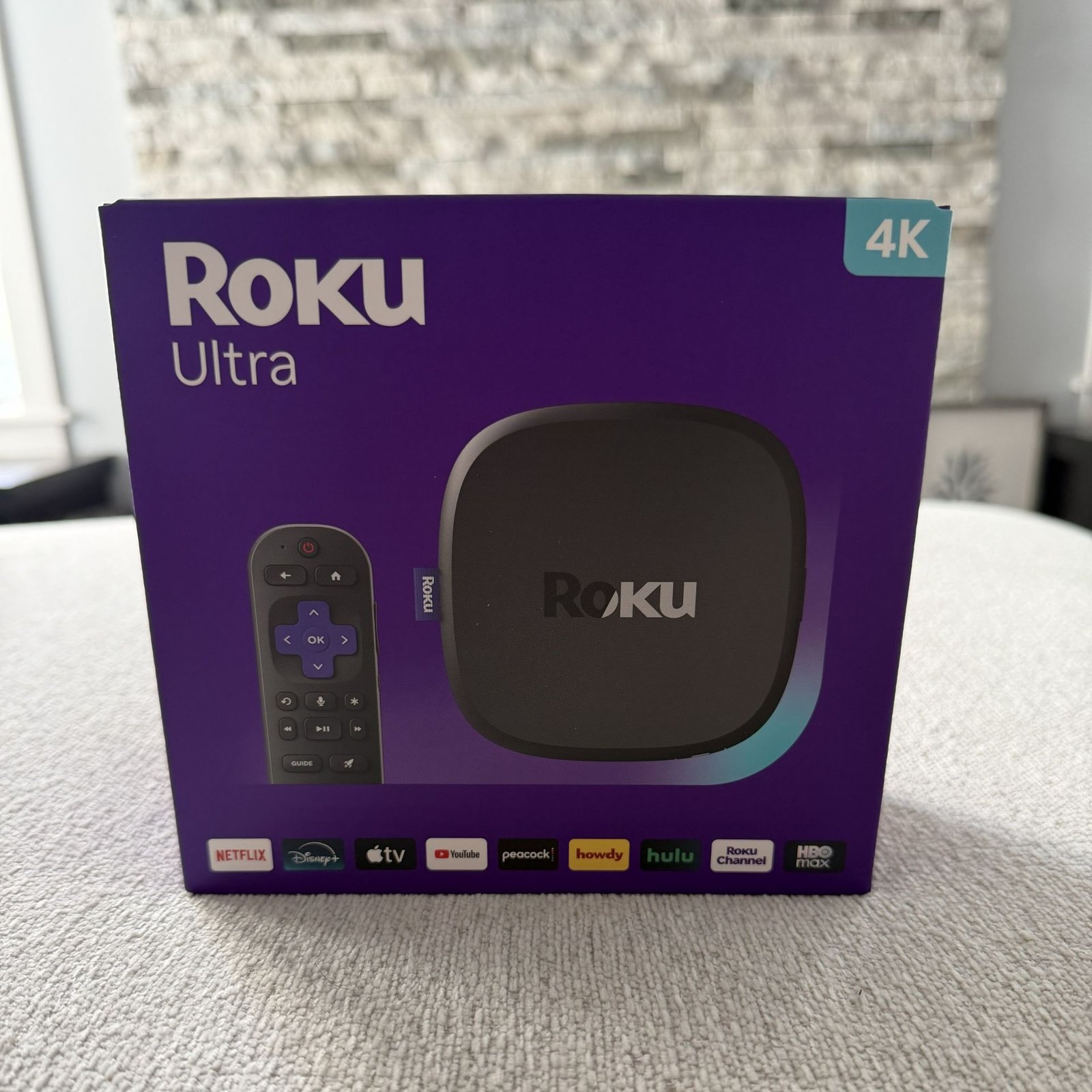
Roku Ultra 4850R Specifications
Here are the key specifications of the Roku Ultra 4850R:
| Specification | Roku Ultra 4850R | Roku Ultra 4660X |
| Processor | Quad-core ARM Cortex-A55 | Quad-core ARM Cortex-A53 |
| RAM | 2GB | 1GB |
| Resolution | Up to 4K Ultra HD (2160p) | Up to 4K Ultra HD (2160p) |
| HDR | HDR10, HDR10+, Dolby Vision | HDR10 |
| Audio | Dolby Atmos, Dolby Digital, Dolby Digital Plus | Dolby Digital, Dolby Digital Plus, Dolby Atmos* |
| Wi-Fi | Wi-Fi 6 (802.11ax) | 802.11ac dual-band |
| Ethernet | 10/100 Mbps | 10/100 Mbps |
| USB | USB 3.0 | USB 2.0 |
| HDMI | HDMI 2.1b | HDMI 2.0 |
| Bluetooth | Yes | Yes |
| Remote | Voice Remote Pro (2nd Gen) | Roku voice remote |
| Airplay | AirPlay 2 | AirPlay 2 |
| HomeKit | Yes | Yes |
| Dimensions | 4.9 × 4.9 × 1.0 in | 4.9 × 4.9 × 0.85 in |
| Weight | ~5.9 oz | ~5.9 oz |
| Release Year | 2024 | 2017 |
One small design change I noticed is the location of the USB port. The older Roku Ultra 4660X has the USB port on the side, while the newer 4850R places it on the back of the device. Moving the USB port to the back was a great design change to keep everything out of sight.
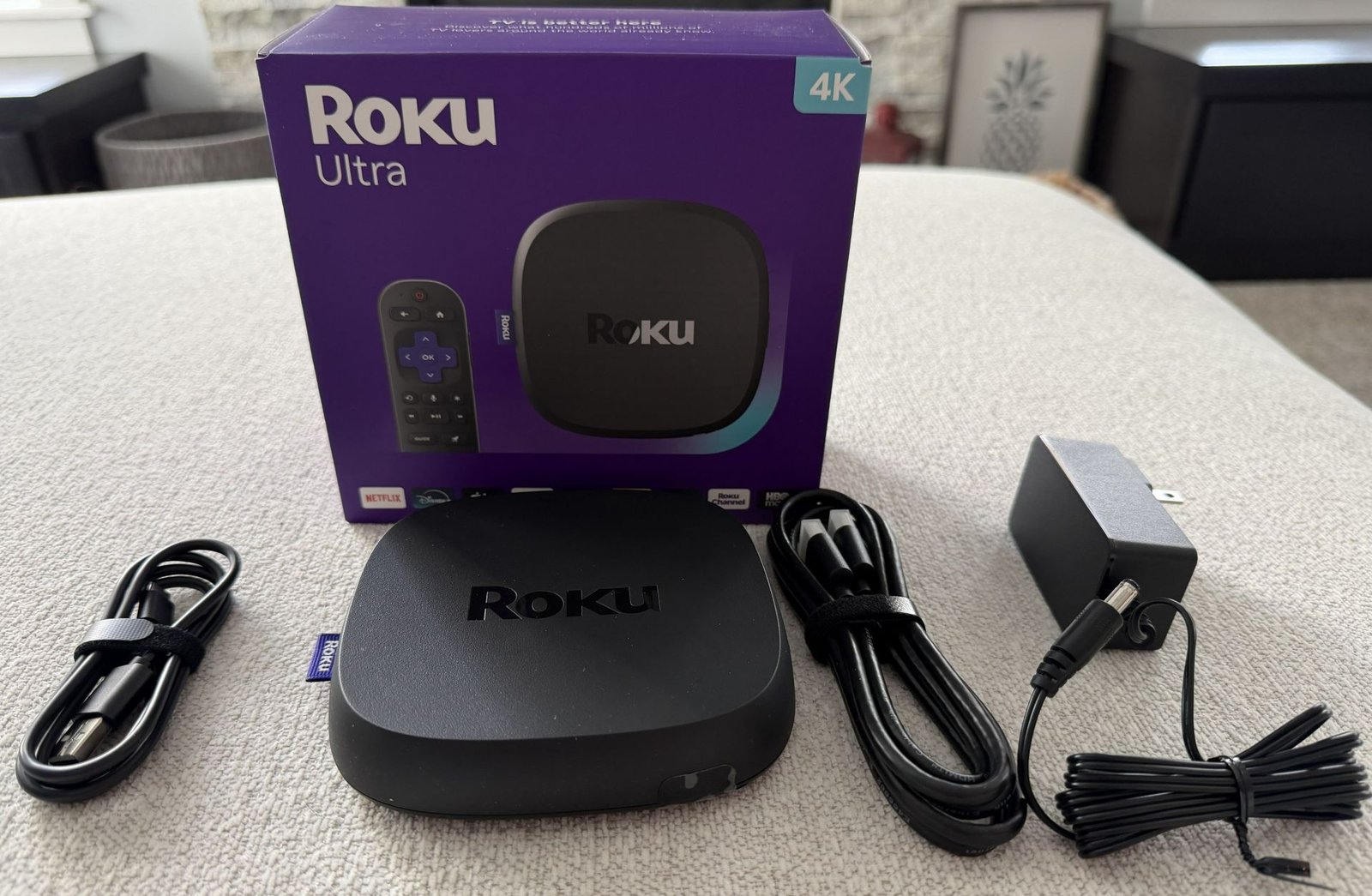
Inside the box, you will find the Roku Ultra, HDMI cable, power adapter, USB C charger for the remote, and remote (not pictured).
Roku Ultra Performance and Picture Quality
The Roku Ultra has been very responsive during my time using it. Apps open quickly, navigating through menus feels smooth, and I haven’t experienced the slowdowns or occasional need to reboot that I had started noticing with my older Roku.
I use Ethernet for my streaming devices, so having a wired connection is an important feature for me and appreciate Roku still including it!
The Roku Ultra 4850R supports HDR10, HDR10+, and Dolby Vision, giving it compatibility with the most common HDR formats used by streaming services. While this doesn’t necessarily mean the picture will look better than an older Roku, it does provide better compatibility with newer TVs and streaming content.
If your TV supports Dolby Vision or HDR10+, the Roku Ultra can take advantage of those formats when they are available.
Roku Ultra Remote
One of my favorite features of the Roku Ultra is the Voice Remote Pro. The remote is rechargeable via USB-C, so you don’t have to worry about replacing batteries, and it includes built-in voice search to make finding shows and movies easier.
It also has TV controls for power and volume, along with shortcut buttons for popular streaming services. Another useful feature is the lost remote finder, which can help you locate the remote if it gets buried in the couch cushions.
Roku Ultra vs. the Competition
Roku Ultra vs Apple TV 4K
The Apple TV 4K is probably the biggest competitor to the Roku Ultra. It offers a faster processor, a polished interface, and integrates especially well with other Apple devices. It also supports all of the major streaming services I use, including Netflix, Plex, Apple TV+, Disney+, Hulu, and Max. The biggest downside is the price. The Roku Ultra can be found for around $100, while the Apple TV 4K costs considerably more. If you are heavily invested in the Apple ecosystem or want the extra performance, the Apple TV is a great option, but I don’t think the additional cost is necessary for most people who primarily want to stream movies and TV shows.
Roku Ultra vs NVIDIA Shield TV Pro
The NVIDIA Shield TV Pro is a different type of competitor. It has been around for several years but remains popular with enthusiasts, especially those who use Plex and have a large local media library. The Shield offers more advanced media playback capabilities and features like AI upscaling that the Roku doesn’t offer. However, it is also significantly more expensive than the Roku Ultra. If Plex and local media are a major part of your setup, the Shield is worth considering, but for someone primarily using streaming services, I think the Roku Ultra offers a better balance of features and price.
| Roku Ultra | Apple TV 4K | NVIDIA Shield TV Pro | |
| Price | $149, typically $99 | $199 or $249 | $199 |
| 4K HDR | Yes ✅ | Yes ✅ | Yes ✅ |
| Dolby Vision | Yes ✅ | Yes ✅ | Yes ✅ |
| HDR10+ | Yes ✅ | Yes ✅ | No ❌ |
| Ethernet | Yes ✅ | Yes ✅ (only 128GB Model) | Yes ✅ |
| Wi-Fi | Yes ✅ | Yes ✅ | Yes ✅ |
| Airplay | Yes ✅ | Yes ✅ | No ❌ |
Is the Roku Ultra 4850R Worth It in 2026?
After using the Roku Ultra 4850R, I think it is still a great streaming device in 2026, especially if you can find it around the $100 price point.
Upgrading from an older Roku: Yes. If you’re coming from an older Roku like my 4660X, the 4850R offers noticeable improvements in performance, HDR support, Wi-Fi, and overall responsiveness. It’s a worthwhile upgrade if your current Roku is starting to feel slow or doesn’t support the features of your newer TV.
Buying your first streaming device: Yes. The Roku Ultra supports all of the major streaming services, is easy to use, and has a simple interface that doesn’t take much time to learn. For someone who just wants a reliable streaming device without spending a lot of money, it’s an easy recommendation.
Already own a recent Roku Ultra: Probably not. If you already have a newer Roku Ultra, there isn’t enough of a difference to justify upgrading. The 4850R makes the most sense for people coming from an older device or buying their first premium streaming player.
At the $89 price I paid, I think the Roku Ultra 4850R is an excellent value and an easy recommendation for most people looking for a streaming device.
Final Thoughts
Overall, I’m very happy with the Roku Ultra 4850R. I was looking for a replacement for my aging Roku Ultra 4660X, and the 4850R gave me everything I was looking for without having to leave the Roku ecosystem.
The updated hardware makes it a noticeable upgrade from my old Roku. At the $89 price I paid, I think it’s an excellent value for anyone looking for a reliable 4K streaming device.
There are certainly more powerful options available, such as the Apple TV 4K and NVIDIA Shield TV Pro, but your final choice will depend on your specific needs and how you plan to use the device. If you already enjoy the Roku ecosystem and are coming from an older Roku or Roku Stick, I have no problem recommending the Roku Ultra 4850R.