Understanding the difference between a modem, router, and firewall can get confusing, especially when some devices are combined or when multiple devices can contain the same features. Each devices plays a specific role in getting your home online, keeping your devices connected, and protecting your network. In this guide, I’ll break down what each device does, how they fit together, and what you actually need for a typical home setup.
What is a modem?
A modem is a hardware device that converts from one physical connection medium to another. Think fiber to Ethernet or coaxial to Ethernet. Modems are usually the first devices in line when connecting to an ISP. Modems are typically provided by your ISP or you need to purchase one compatible with your ISP.
What is a router?
A router is a networking device that links separate networks and forwards data along the best path. It allows devices on different networks, like your home Wi-Fi and the internet, to communicate while handling traffic and offering services such as NAT, DHCP, and DNS. Most home routers also include a built-in firewall for basic security.
Think about when you send a letter, you put it in the mailbox, the post office then would deliver to the next location, then finally deliver it to its final destination.
What is a firewall?
A firewall is a hardware or software security system that monitors and controls inbound and outbound network traffic according to set rules, allowing or blocking connections to protect a network or device from unauthorized access and attacks.
How they work together?
Together, a modem, router, and firewall work to bring the internet into your home, ensure your devices can access it, and keep your network secure. The modem connects to your ISP and converts the internet signal into Ethernet, which your router and home network typically use. The router then distributes that connection to all your devices, wired or wireless, while the firewall monitors traffic and blocks anything unsafe.
Modem vs Router vs Firewall: Comparison Table
| Modem | Router | Firewall | |
| What it does? | Brings the internet into your home by converting your ISP’s signal into a usable network connection. | Shares that internet connection with all your devices and manages traffic between them. | Protects your network by blocking unwanted or unsafe traffic based on security rules. |
| What devices they connect to? | Internet Service Provider (ISP) | Connects to the modem on one side and to your devices (wired or wireless) on the other. | If it’s separate hardware, it usually sits between the router and your internal network devices, or it replaces the router entirely if it has routing built in. |
| Does it assign an IP address? | Does not assign IP addresses to your devices (it only passes the ISP-provided IP to your router). | The primary device that assigns IP addresses to devices on your home network using DHCP. | Can assign IP addresses, but only if it’s a full router/firewall appliance like OPNsense, pfSense, or Ubiquiti. |
| Provides Wi-fi | Does not provide Wi-Fi; it only brings the internet into your home. | Yes, most home routers provide Wi-Fi and create your wireless network. | No, unless it’s part of a combined router/firewall device. |
Recommended Setup
While this largely depends on your needs and any restrictions from your ISP, there are a few common setups. The first is a simple home setup, which can be expanded into a mesh system to cover larger spaces, or a power-user setup that lets networking enthusiasts experiment by configuring and testing different network arrangements.
Simple Home Setup
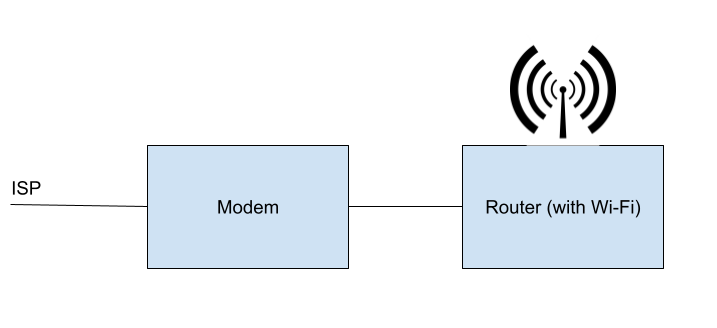
In this case, you’ll most likely have a modem and router that include a built-in firewall and Wi-Fi.
Mesh Setup for larger home
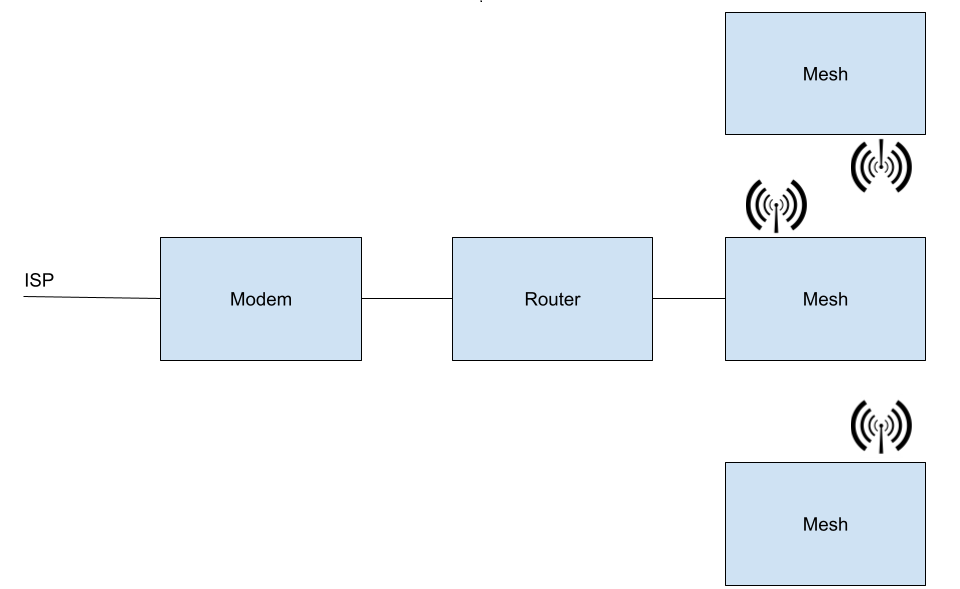
This setup is an expansion of the simple setup and adding a mesh system to provide wireless connectivity.
Power User or Networking Enthusiast
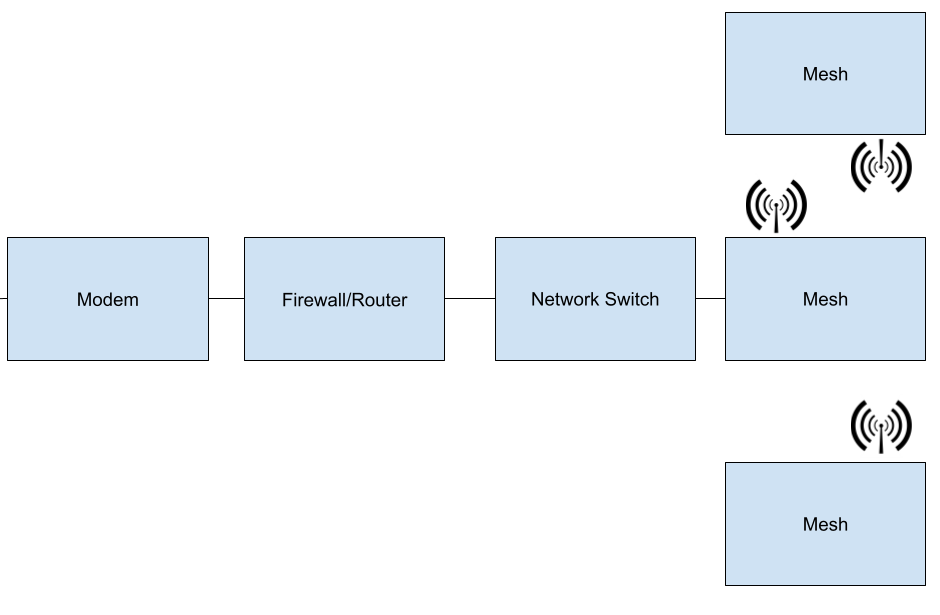
This is a simpler power user setup, though I know many of you home lab enthusiasts have much fancier configurations.
Final Thoughts
Your setup can be simple or as complex as you like, but each device has its own purpose. The modem brings the internet into your home, the router shares it with your devices, and a firewall helps keep everything secure. Whether it’s a basic configuration, a mesh system for larger spaces, or a more advanced setup for power users and network enthusiasts, it’s important to use each device correctly and securely. With the right equipment in place, you’ll enjoy a faster, safer, and more reliable network for all your devices.