Installation
Installation was really straightforward and, like most Linux distributions, walked through the usual steps including keyboard and language selection, software package options, user creation, bootloader configuration, and installation.
First Impressions and Performance
I really like the look and feel of Peppermint OS. It almost feels like a customized theme for Xfce. Across the many Xfce distros I have tested, a lot of them look the same or very similar. A few, like Manjaro and Linux Mint, add some customization, but I would say Peppermint OS looks different while still feeling familiar.
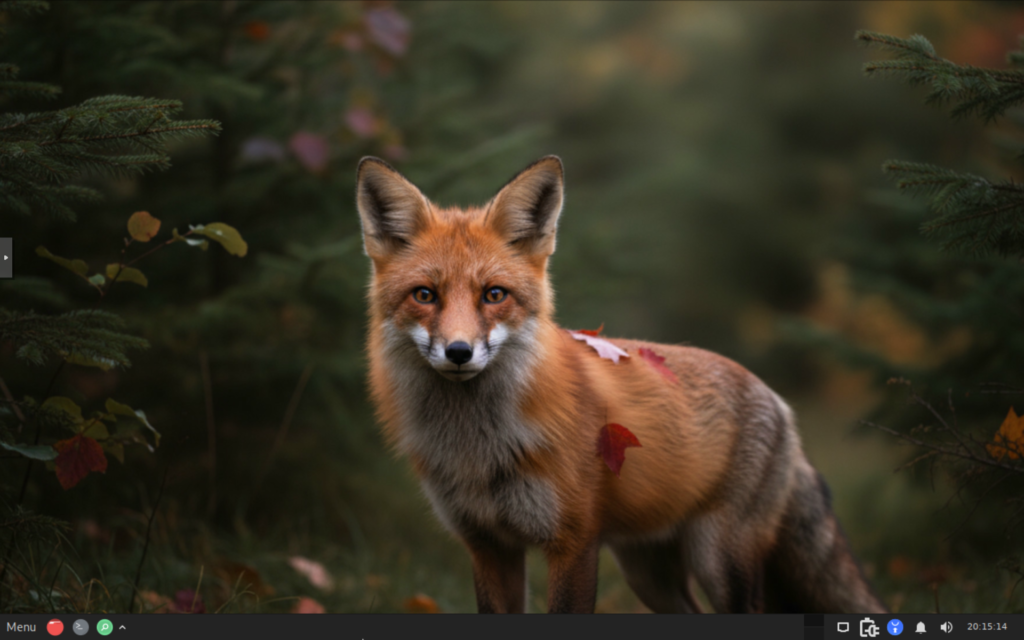
The only thing I would change is the default wallpaper. To me, it looks like it was AI-generated or heavily filtered, which isn’t really my style.
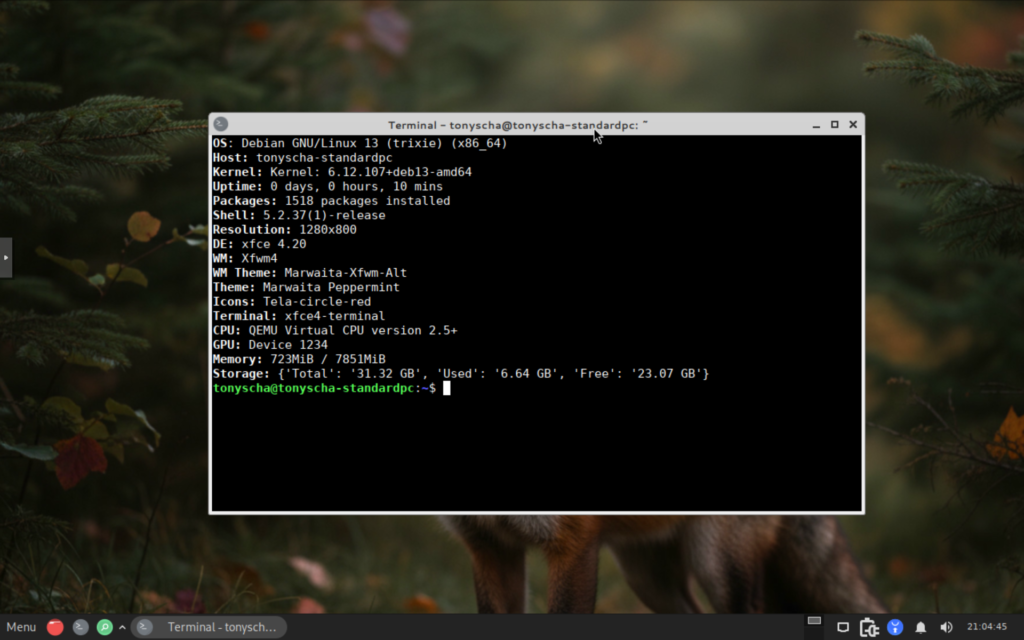
At idle, Peppermint OS used approximately 600 MB of RAM and 1% CPU. This puts it at the top of my list of the most lightweight Xfce distros I have tested.
Software & Package Management
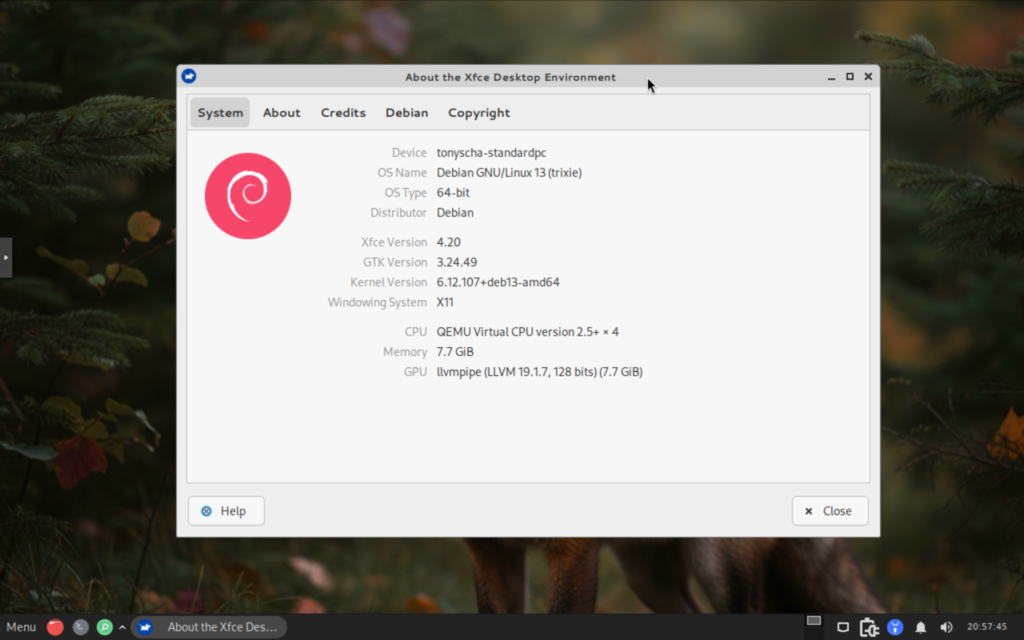
Peppermint OS Trixie based comes with the 6.12.107+deb13-amd64 kernel and Xfce 4.20 as the desktop environment. The default applications are very minimal, which I appreciate because it helps keep Peppermint OS lightweight.
While the included applications are minimal, you still have access to the full Debian Synaptic Package Manager, giving you the ability to install pretty much anything you need.
Target Audience
Peppermint OS is marketed as an operating system that gives users the opportunity to build a system that best fits their needs. With only a minimal set of applications installed by default, I agree that Peppermint OS provides a clean starting point while still giving you the flexibility to install and configure whatever applications you need. This makes it a great OS if you are using it in a cloud or web based environment and don’t need many local applications.
Pros and Cons
- Pros
- Lightweight minimalist Xfce distros
- Unique Xfce theme
- Based on Debian
- Easy to customize and build around your needs
- Great for Cloud or Web based applications
- Cons
- Not a full out of the box distro
- Requires installing additional applications
- Default wallpaper isn’t my favorite
Final Thoughts
Overall, I really like Peppermint OS. It takes the familiar Xfce desktop and gives it a different look and feel without going overboard with customization. I also like the minimalist approach, since you start with a clean system and can install the applications you actually need instead of removing a bunch of software you don’t want.
The biggest downside is that Peppermint OS may not be the best choice if you want a distro that is ready to go right after installation. You will likely need to spend some time installing and configuring additional applications. For me, though, I think that is a fair tradeoff for a lightweight and clean Xfce experience. If you like Debian, Xfce, and having control over what gets installed on your system, Peppermint OS is definitely worth checking out.
Resources
- Website: https://peppermintos.com/
- Community Support: https://sourceforge.net/p/peppermintos/pepos/
One thought on “Peppermint OS Review: Lightweight, Minimalist, and Customizable”